
Category: My Artistic Endeavors
My journey deeper into photography, art-making, filmmaking. Practiciing the craft that makes my creative juices flow.
-
Shopping At Aldi’s Grocery Store What I Learned

By Chongchen Saelee
My goal today was to spend under $50 for 2 weeks worth of eating (for myself). This is what I bought:
Tampico Citrus Punch		$  1.45
Pep Farm Goldfish		$  1.85
Variety/Choc Donut		$  1.89
Chicken Drumsticks (x10)	$  3.31
Organic Spring Mix		$  2.49
Organic Spring Mix		$  2.49
OJ FC w/ Calcium		$  1.69
Steamable Cal Med		$  0.99
String Cheese			$  2.79
Steam Mix Veg			$  0.95
OJ FC w/ Calcium		$  1.69
Reg Marshmallows		$  0.89
French Bread Pizza		$  1.99
French Bread Pizza		$  1.99
G Bears & Happy Cola		$  0.95
Limes				$  1.29
Fruit Snk Natural		$  3.69
SC&O Potato Chips		$  1.49
Condensed Tom Soup		$  0.59
Condensed Tom Soup		$  0.59
CondChknNoodleSoup		$  0.59

SUBTOTAL			$ 35.65
 6.98	2-Taxable @5.500%	$  0.38
28.67	1-Taxable @0.00%	$  0.00

AMOUNT DUE			$ 36.03

TOTAL				$ 36.03

21 ITEMS
-
Qt Pure 3D Cube Demo No Direct X or OpenGL
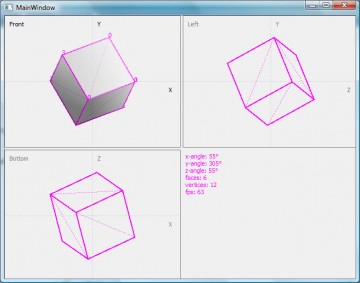
Qt 3D cube no DirectX or OpenGL I’ve been able to demo up a basic 3D cube in pure Qt c++ and the coordinates seem to be rotated correctly. However, like most noobs, when I try to map the pixels from a texture onto it, everything gets inverted or wonky. However, I also implemented basic shader which runs really fast, so if all fails, I can at least model some basic 3D stuff with colored faces. It may not be drawn at runtime, but I may give SDXM users the option of modeling 3D stuff and prerendering them. Or maybe they can, I don’t know yet. Haven’t tested performance.
-
Qt 2D Game Engine SDXM Mode 7 3D implementation Update
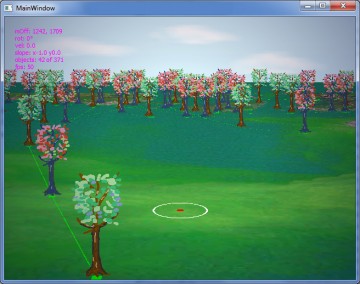
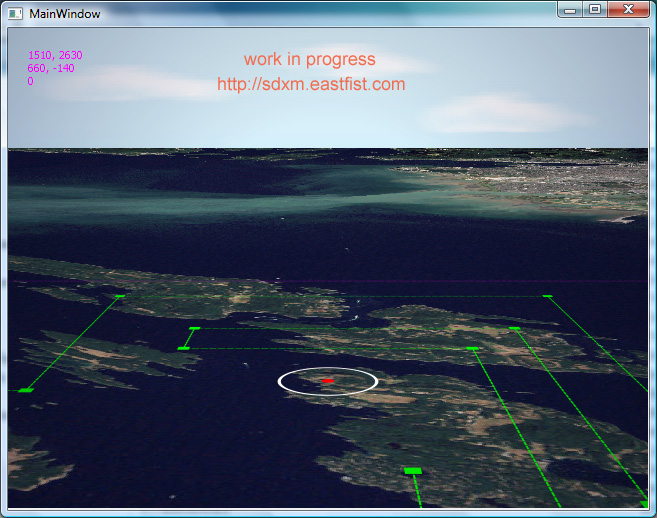
Qt 3D Mode 7 implementation Oh yeah. It’s on. I can’t seem to get the perspective of the mapped objects correct, as it should converge into the vanishing point, but I observed Super Nintendo’s own Mode 7 and they never really pushed it so that it was all mathematically correct anyway. I watched Super Mario Kart and F-Zero very closely. But it’s good. Now I know for sure I can make a racing game or have a really nice looking gimmicky 3D background. It’s on. For sure.
========================================
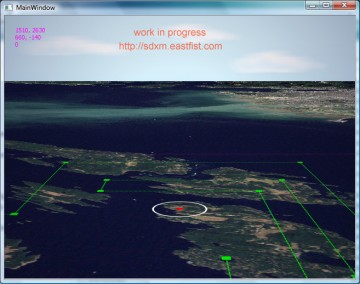
SDXM Mode 7 Update Woah-hey, gang! Check this out. I’ve figured out how to do this wannabe SNES Mode 7 thing a little easier. Still pure Qt/c++ using just QTransform and QPainter, no DirectX and no OpenGL or other third party 3D libraries. I’ve been able to map the coordinates correctly and now the thing rotates around the correct point in the desired map. The only problem is that you have to limit your texture buffer size. This map of Vancouver from NASA is stored in memory at 3000 x 3000 pixels. You don’t want to be calling that from paintEvent() or it’ll blow up your hard drive and graphics card. So prebuffer your textures. Also, I’ve noticed that if you scale the texture via QPainter, it seems to process faster because it needs to scan less pixels (I’m assuming). The problem is your output will be pixelated and the markers won’t be 1:1, and that defeats the purpose of it all.
Otherwise, it runs really well with an output of 640x480x60fps. Anything bigger is pushing it.
So the next thing I’ll try to figure out is how to do fake scaling and z-distance. Having a flat 3D plane is cool, but you gotta be able to have at least billboarding trees, rocks, and buildings. I am trying to emulate F-Zero after all. 😛
I’ll upload a playable demo once I have enough to show off. Keep an eye out for it.
-
Practice Digital Inking Comic Book Art With Photoshop
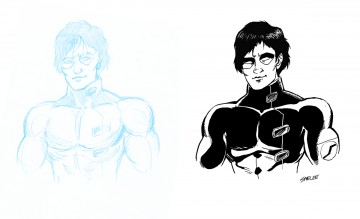
Photoshop Inking Demo On the left is a pencil drawing I scanned in. On the right is the digitally inked artwork done in Photoshop. As you can see, they have two completely different tones. My original pencil lines were more sketchy and aggressive. Then, the digital lines look more balloon or cartoony, but otherwise more clean. Of course, this is all practice. My goal is to make it look almost 1:1, so that it looks consistent. Drawing on a 4×5 tablet isn’t necessarily as intuitive as 1:1 graphite pencil on paper (which I’ve done most of my life and have more control).
-
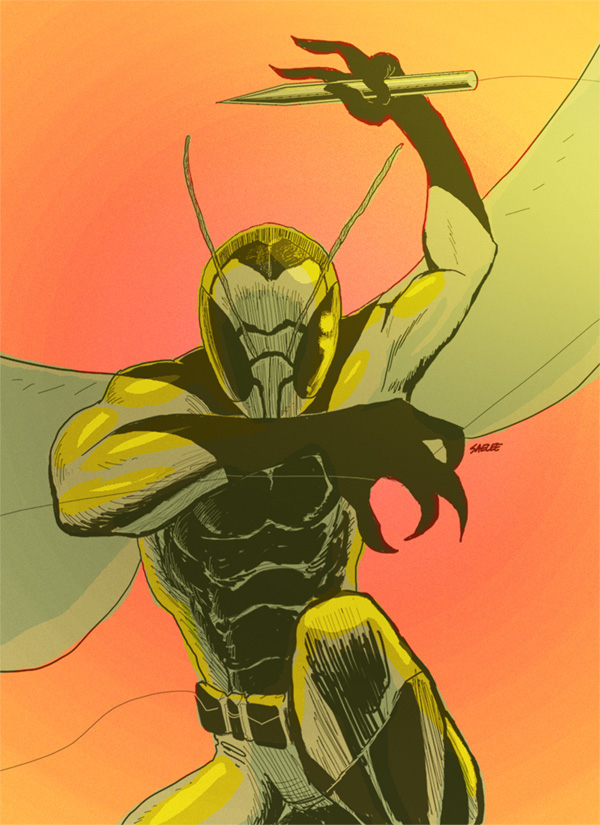
Yellow Stinger Concept Art
UPDATE
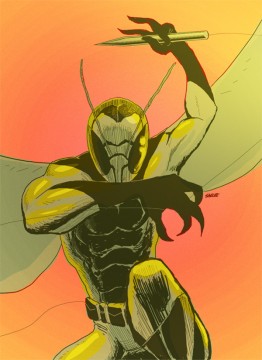
Yellow Stinger 2 So when you actually sit down and do it pencil, ink, and colored, you get an understanding of what your strong traits are. My lines aren’t straight. And my inking isn’t that good, not modeled out. Coloring may still be too flat. But it’s a learning process. Lifelong.
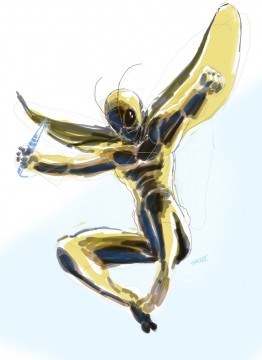
Yellow Stinger Trying to come up with a mascot for my game engine.
-
How To Make Jolly Rancher Hard Candy Into Juice Drink
Having leftover Jolly Rancher hard candy in bulk, I realize I can convert it into drinking form. It works!!!
-
Behold! Saelee’s The Project 2 sprite
UPDATE

SDXM Me Animated And here it is animated!
=========================================
UPDATE

SDXM Me sprite concept Here’s yet another sprite concept. I want to get down a style that will eventually be good looking enough, but also drawn faster when I finally finish building SDXG.
=========================================
UPDATE!!! And here it is, I animated it!

Saelee Standing Animated
=========================================
Saelee’s The Project Hero sprite by prominent Wow! I AM IMPRESSED! This sprite was done by prominent at Fiverr for $15. I wanted it to look like Mega Man X quality sprite based on my own likeness and reference photo and holy shit did he deliver. I think I’ll have to commission him to do the rest of my sprites for the remake of The Project. Awesome job, prominent!
-
Me 20 Years Later
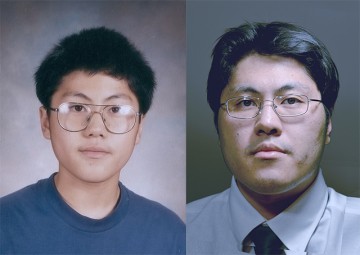
Me 20 years later I was digging through my old pencil box and found this portrait of myself from 1996 when I just started middle school. It’s suppose to be profound how much I’ve changed. Mostly, if I don’t pimp my own propaganda, no one would. Thus, it’s profound to me.