
Before we mindless drones consumed hours on the Internet, we sat in front of the television set. Before the TV, there was radio. Before that, those who could afford it attended baseball games. Before that, etc.
(more…)




Direct X 9, Visual Basic.Net, HTML, CSS, Javascript, PHP, Blu Ray, DVD, HDTV, OLED, YouTube, Google, Yahoo, Internet, Terminators, and lightsabers. All dat.
Here we go:
http://www.eastfist.com/sgdkBMDXCtlsPatch.html
Ancient in digital trend years, but still VERY functional in Windows XP and Vista. By adding a few more lines of code to the drawing engine, SGDK games will display correctly on widescreen monitors. (more…)

I found a Resident Evil 2 texture of Leon Kennedy online and challenged myself to modeling a mesh for it. Took about 5 hours.

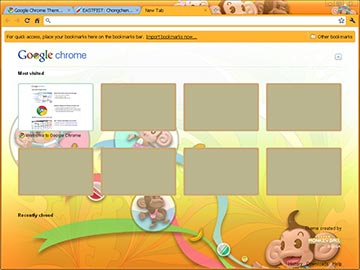
To date, I’ve witnessed the speed of Google Chrome and it surpasses the other two titans, Firefox and IE, just enough. However, I still won’t be as comfortable using Chrome for security issue like I would with IE, but once Google gets Chrome as secure, then I might convert. Google’s got a bunch of gimmicks, one being themes for the browser. Here are some of my favorites:
I was digging through old junk in the basement out of boredom (but mainly because the weather up here in the tundra has become a miserable, humid circus) and found my old portable cassette tape player. Cassette tape? Remember those? If you have the insight, it’s similar to (more…)
Yes, in theory, there are very successful bloggers out there. I am not one of them. What successful bloggers, and by successful I mean those making income, have is the time and the capital to start blogging in the first place. You can’t be Joe Sixpack and just sit down and start ranting about beer and pretzels and make shirtloads of money.
Either you work a part-time job, and on those sleepless days off you tickle (more…)
Here’s a picture of a pretty lady to distract youse:

Photo caption goes here.
So upon further inspection of the WordPress default template layout, I found it to be incredibly object-oriented in design, which is a good thing. The people behind this content management system (CMS) blog are programmers but at the same time have proven their software can produce very beautiful presentation without looking too mechanical. But that’s not to say mechanical, or minimalistic, is necessarily undesirable (I don’t want to deal with the complexities of the guts).
Basically, the default components of a WordPress blog are:
And there’s a high probability that most web pages are designed like this, especially when there is navigation. A WordPress blog then becomes like a library card catalog (yikes, youngin’s won’t remember those) and visitors can easily access entries from past dates. Before CMS existed, most HTML designers were linking pages manually. I’ve found myself doing that to this day and it’s still a pain, especially when I want to post all sorts of junk simultaneously without having to worry about organization.
So far, I’ve been trying to really minimize the layout.